3rd Party Apps Configuration
AFP Wizard allows integration with third-party applications. Supported application types include:
- AFP viewers
- Hex editors
- AFP lookup tools
- AFP parsers
- AFP analysis tools
Ex 1: AFP Workbench Viewer
Linking RICOH AFP Workbench Viewer to AFP Wizard
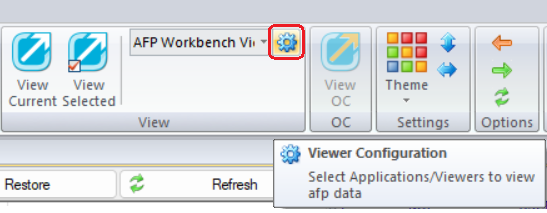
- Click the Viewer Configuration button
 from the top menu bar.
-
Browse the installation folder for RICOH AFP Workbench Viewer, and select the application.
-
Enter a title and click Add
 to add the application to the list.
 -
Click OK to confirm.

