Find
Afp Wizard provides multiple options to find a structured field, or a resource :
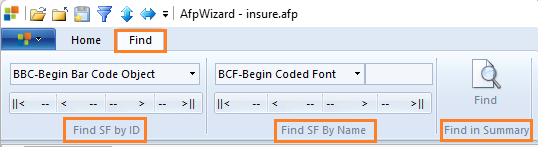
Find Structured Field by ID
-
Select the Find tab from the main menu.
-
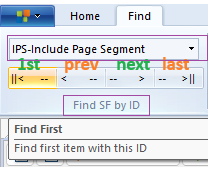
Select the desired structured field from the list:
-
Click the First button to find the first item. This will highlight the structured field in the Tree View and display the hex data.
-
Click the Next button to find the next occurrence, and so on.
Find Structured Field by Name
The Name column in the Tree View shows information such as:
- First 8-byte names on:
- Begin Structured Fields (resource, page, document name, etc.)
- Resource names on IPS, IPO, IMM, IOB, IDM, etc.
- Longer FQN triplet names for object containers from BRS, BOC, IOB, etc.
- TLE name and attribute information from FQN and attribute value triplets
- Page numbers
You can find structured fields using the Find by Name option in the menu.
You can specify name, or part of a name to find the field containing this name.
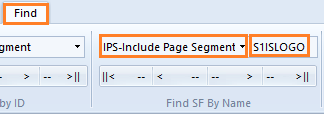
- Example 1: Find Include Page Segment (IPS) where the page segment name is “S1ISLOGO”
-
Example 2: Find IPS where the page segment name contains “LOGO”.
-
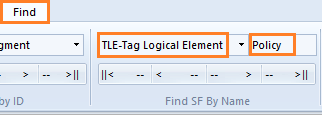
Example 3: Find TLE where the name or attribute value contains the word “Policy”
- Example 4: Find page number 999:
The name of the Begin Page structured field is displayed in the Tree View as:
“PageNumber : Page Name in BPG”
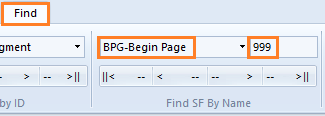
This will find the next occurrence of the BPG name containing 999, or page number 999.
Find in File Summary
The file summary view provides the list of all the resources present inline within the file, or used in the file. The menu option “Find -> Find In Summary” quickly finds and highlights the resource name.
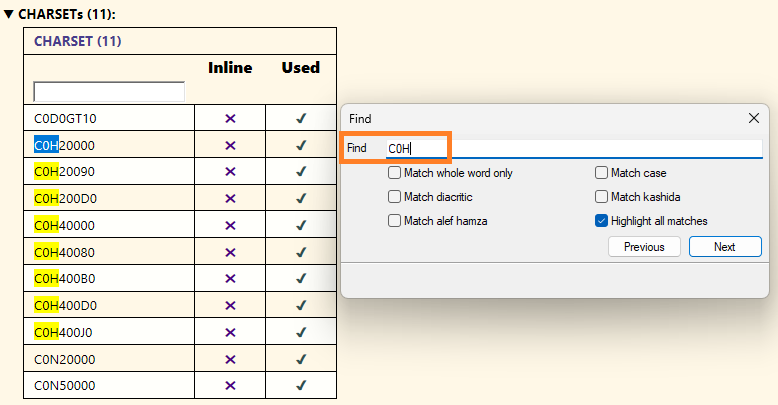
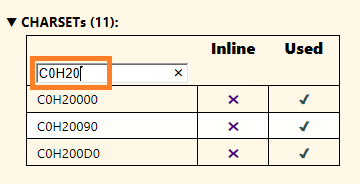
The table in summary view also contains find option if there are too many resources. This can be used to quickly filter and display matching resource names: